
NomadRate
Simple currency conversion for travelers; no WI-FI needed

I used AI in my design process. Here’s the result and what I think.
The need was to create the main screen of an app for travelers who need to do currency conversion on the go with ease and without Wi-Fi
I asked Gemini to create a wireframe for a start and here’s what it came up with:
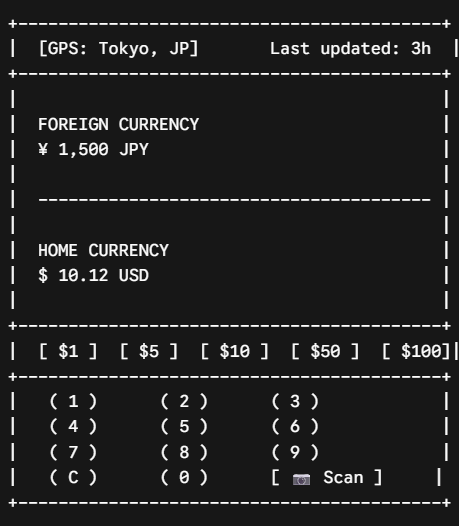
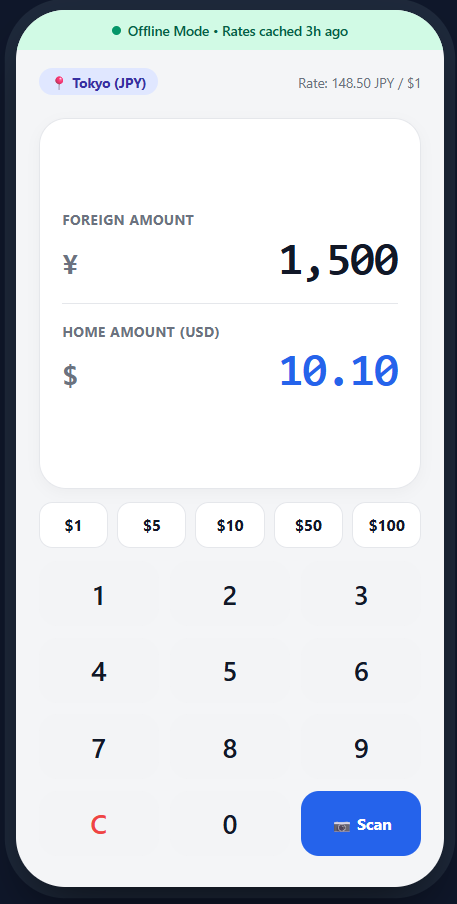
The layout was standard and straightforward. I liked the ideas of adding a tab with preset numbers, a “last updated option”, and a camera to scan as needed. I prompted Gemini to generate a high fidelity prototype, and here’s what it came up with:
The output generated a cool name, NomadRate. Here are a few highlights:
The smart offline status indicator reassures the user that the app is working as intended
The one-tap preset buttons auto populates the foreign currency equivalent
The offline scan camera can be used directly on price tags, which helps the user know rate conversions of items instantly
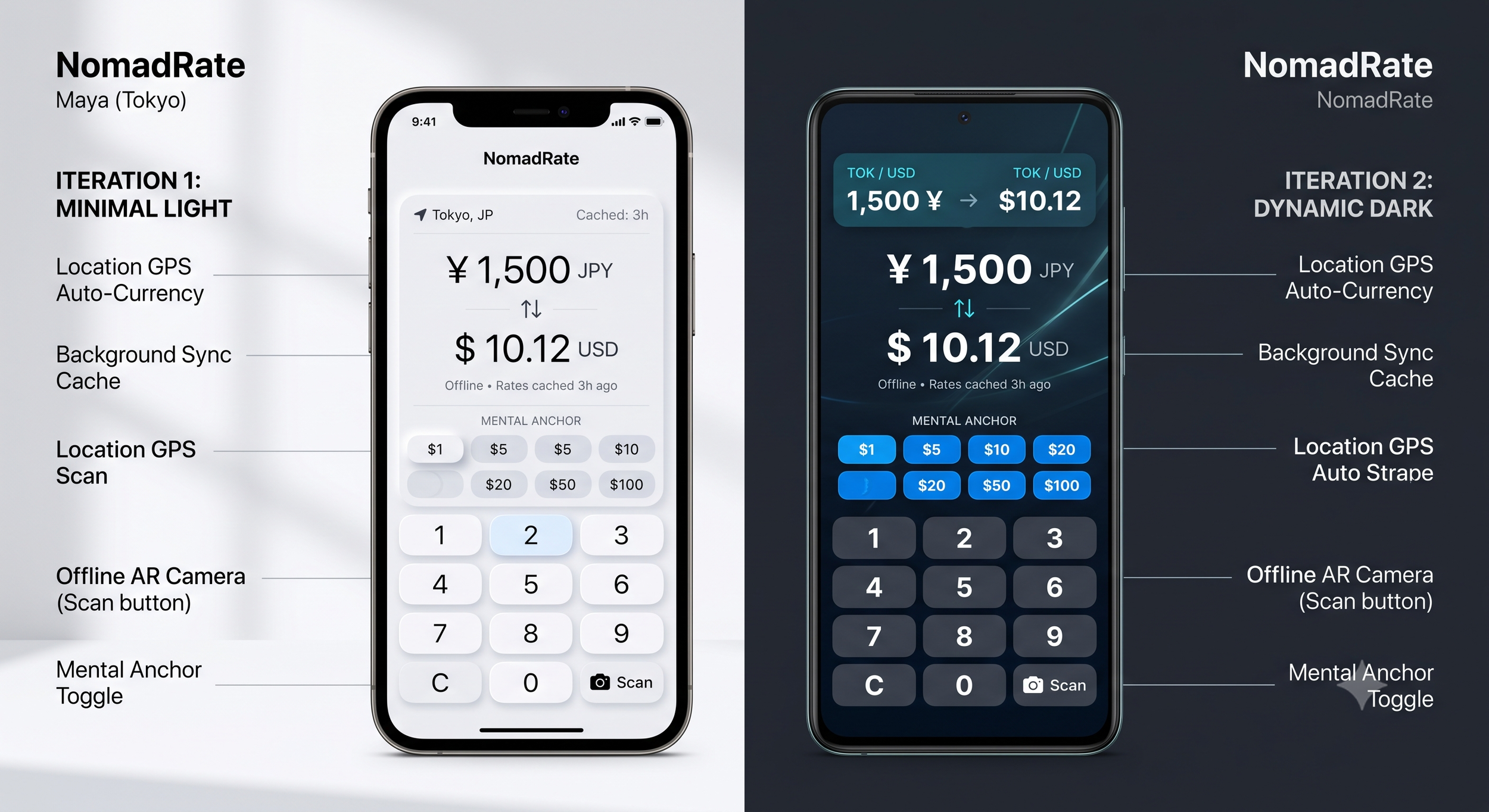
I asked Gemini to generate iterations and it generated 2- a minimal light and a dynamic dark.
From what Gemini was able to generate, I had a solid reference point to work with. Using Figma, here’s what I came up with
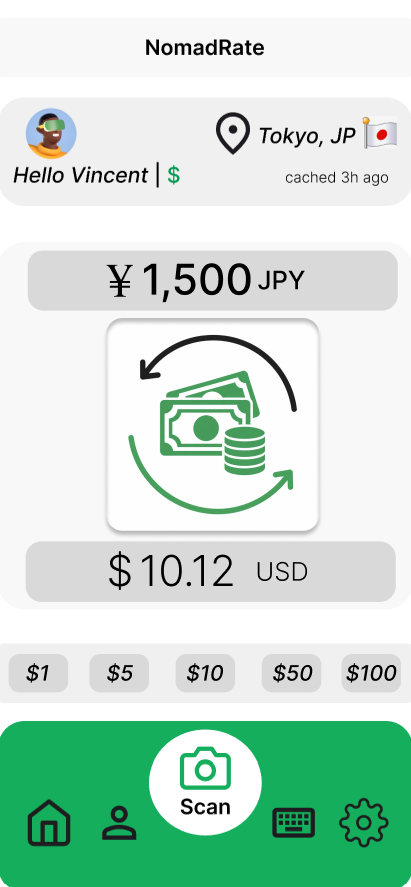
I added a welcome menu tab for more personalization and an opportunity to add useful information.
The use of an avatar, the users default currency, their current location, and sync cache all enhance the user experience and make the screen more human. I used more
I used containers to create a lot of negative space to reduce cognitive overload.
I made some items bigger, bolder or italicized to create visual order, reduce competing attention, and direct user focus
I put items that are related close together to make the screen easier to scan
I used the green color to bring attention to the menu options of the screen for the user.
I placed all the key functions at thumb length, so that the user can conveniently use their thumbs to do most of the work.
I added inner shadow and outer shadow to the big icon in the middle of the screen to suggest that it as the main button for the user to push.
Summary and Key takeaways:
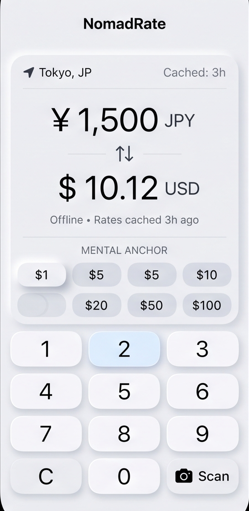
Before: AI Generated
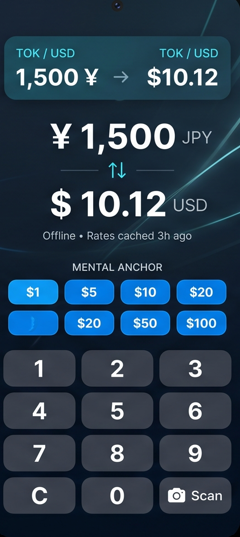
After: Designed in Figma
Gemini did a very impressive job in generating a detailed product concept. I was impressed that it created its own user persona to work with and stayed consistent throughout the process.
AI is able to turn a prompt into a working prototype and understand a design system within seconds. The results are good and suggest a strong understanding of the implementation model (which reflects the technology) but can be better in understanding the mental model (which is the user). When UI leans closer to the mental model, it makes screens more personable and easier to use.
AI makes for a great design partner. It can give me a solid starting point, and I can build from there. I can also use it to find edge cases, challenge my UI/ UX decisions, and ensure accessibility throughout the design. I can use it to bounce ideas and gain perspective. I think a great place to be is combining AI execution with my human judgement.